
An example of an Amazon A+ Content banner created by using AI
Using AI is amazingly simple
Below are some examples of how simple it is to use AI.
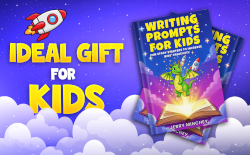
I went on Fiverr.com and paid a woman in Estonia $9 to create the banner below to use in the A+ content for my latest book.
(Note: A+ content is the images that Amazon places on the book detail page just above the reviews.)
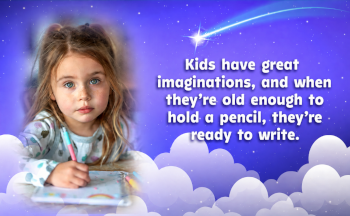
I used the free AI ChatGPT app to change that image in several ways.
One sentence is all it takes
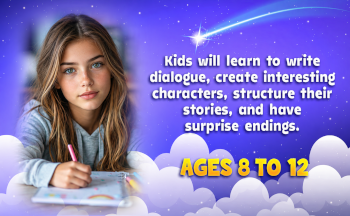
I gave ChatGPT a one-sentence prompt and said, "Make the girl look seven years older, and change the text to read as follows" (and I gave AI the new text to use.)Below is the new image that was created in less than 30 seconds.
Then, I said, "Change the image to a boy writing."
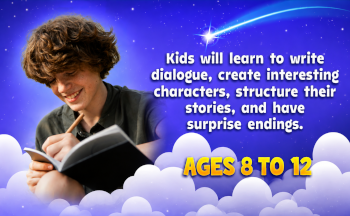
Next, I said, "Make the background look more fitting for a boy, and change the color of the white text to yellow."
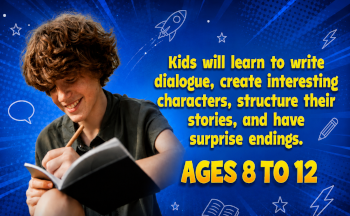
These are just a few examples of what you can do with AI and simple prompts.
There are several AI apps, such as ChatGPT, Gemini, Gork, CoPilot, Claude, and more. They all have pros and cons. Some are better for writing, some are better for images, etc. Many of them have both paid and free versions. The one I use the most is the free version of ChatGPT.
If you have never tried using an AI app, go to https://chatgpt.com.In the box that says, "Ask anything," type Create an image of a boy and girl playing. Then click on the up arrow. In less than 30 seconds, you'll get your new image.
Next, type "Add a dog" and then click on the up arrow again.
You can also tell AI what text you want added. Or you can paste an image in the box and then tell AI how you want it changed.
You can say, change the color of the text to green, and move the text a little to the left.
If you don't want to type, you can click on the mic symbol and just talk.
Take a few minutes and play with AI, and you'll quickly learn how easy it is to use, and you'll be amazed by what you can do with it. Then, you'll be ready to start using AI on your next project.
See the final versions of my five A+ content modules
If you want to see the five A+ content modules I ended up putting on my Amazon book detail page for my latest book, click on the link below and scroll down the page.
https://www.amazon.com/dp/B0GX2ZS63N
Bottom line: I don't use AI to do any of the writing or outlining of my books, but I do use it to create and modify some of the images I use in my books. If you haven't played with AI, try one of the apps. Give AI a simple, plain English prompt, and it will do what you have asked. I think the capabilities and ease of use of AI will amaze you.
P.S. If you want to learn more about how to use ChatGPT and what you can do with it, check out the 14-minute YouTube video at the link below.